
How Do You Calculate Inches to Square feet
Square Inches to Square Feet Converter
Instantly convert between square inches (in²) and square feet (ft²). Uses the exact conversion: 1 ft² = 144 in².
inches to square feet calculator
An inches to square feet calculator converts measurements given in inches into area in square feet—so you can estimate coverage for floors, walls, panels, and spaces. It’s designed for anyone measuring in feet and inches but needing square ft for planning, comparisons, or budgeting.
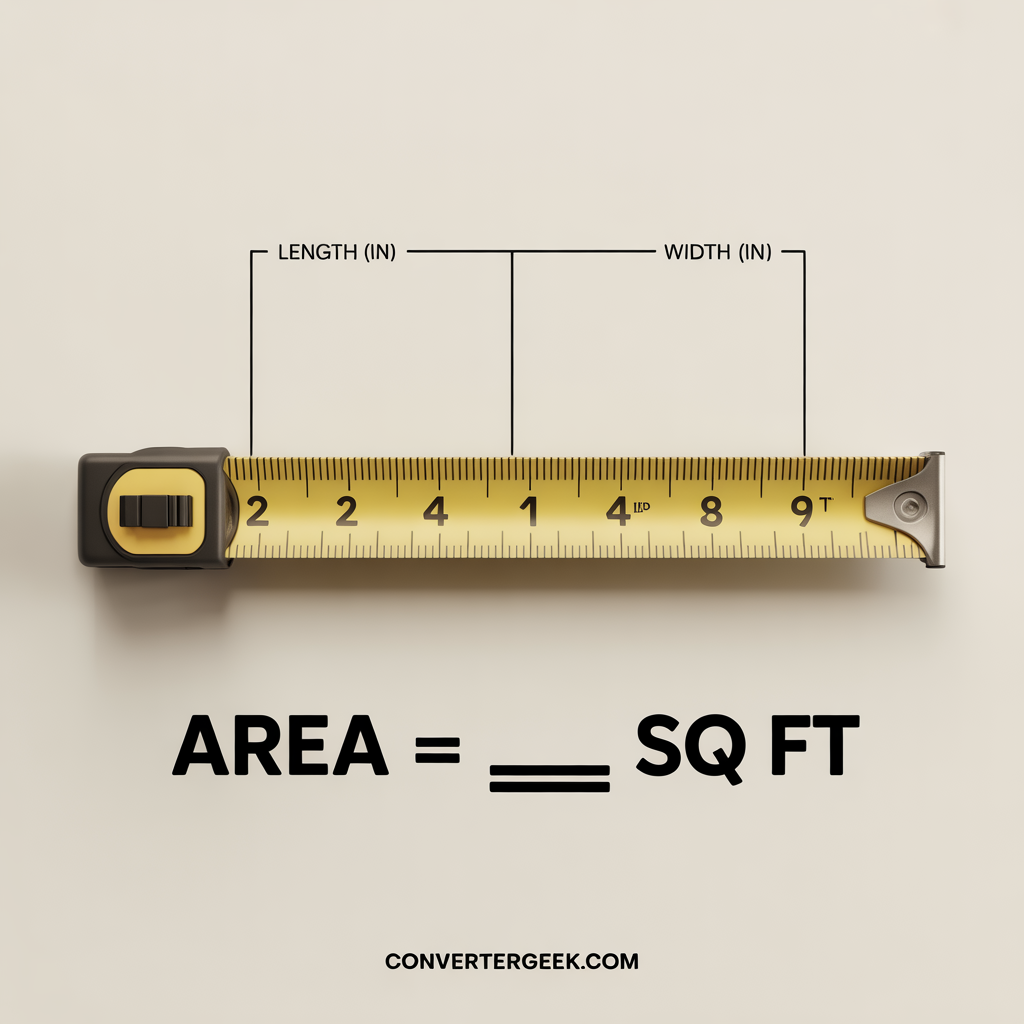
At a Glance
- Converts length and width in inches into square feet.
- Handles rectangle and square shape areas instantly.
- Helps estimate coverage for tile flooring, hardwood flooring, and more.
- Prevents common mistakes like mixing inches with feet or forgetting to square units.
- Useful for planning material quantity and price per square foot comparisons.
Quick Answer
Rule: Convert inches to feet (divide by 12), then multiply:
Area (sq ft) = (Length in ÷ 12) × (Width in ÷ 12).
Typical Use Cases
- Turn tape-measure dimensions into square feet from inches for rooms and surfaces.
- Calculate square footage from inches for flooring, mats, sheets, or boards.
- Convert product sizes listed in inches into sq ft conversion for coverage.
- Compare quotes using estimate cost per square foot and total area.
- Switch between sq inch to sq ft when specs are small (tiles, panels).
- Plan layout for remodeling without redoing math repeatedly.
Table of Contents
1. What This Inches to Square Feet Calculator Does
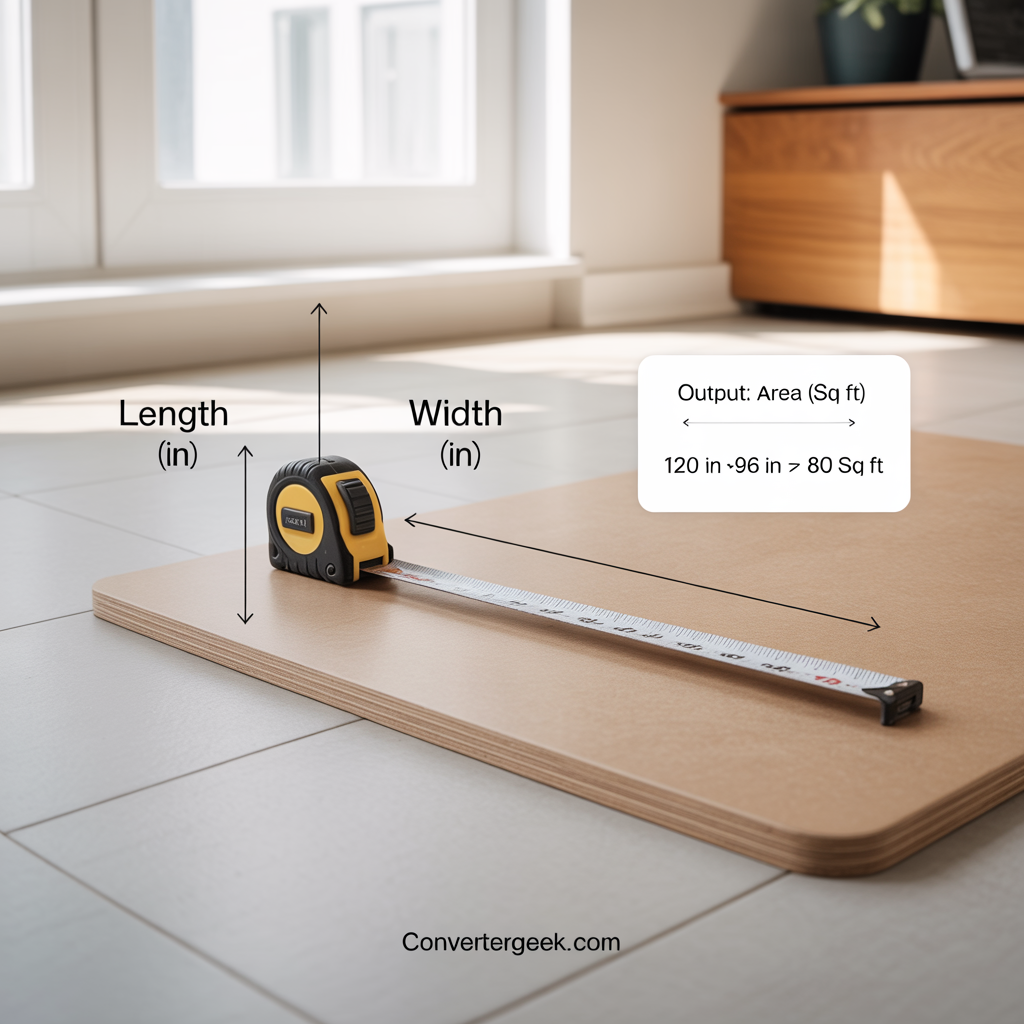
An inches to square feet calculator converts measurements taken in inches into area in square feet (sq ft). It’s built for people who measure with a tape measure in inches but need a square-foot result for planning coverage, comparing materials, or estimating cost.
In simple terms, you enter Length (in) and Width (in), and the tool returns square feet from inches. This is especially useful because area is two-dimensional—so the conversion is not just “inches to feet,” it’s a full sq ft conversion that accounts for squared units.
Where it’s most useful
This converter is mainly used for rectangle shape and square shape surfaces, such as:
- Rooms and floor sections (area of a room)
- Flooring materials (tile flooring, hardwood flooring, laminate flooring, engineered wood flooring)
- Sheets and panels (wood, boards, acrylic, insulation, wall panels)
- Mats, decals, and small pieces where the measurements are still given in inches
What it helps you do (fast)
Use this tool when you want a quick, clear area result without manual conversions:
- Calculate square feet from inches-based length and width (no guessing).
- Convert sq inch to sq ft when a product lists area in square inches (like small tiles or panels).
- Estimate coverage for projects like flooring, wall panels, or cut-to-size materials.
- Support budgeting by combining total area with price per square foot and calculating cost per square foot.
- Reduce unit mistakes (inches vs feet) so you don’t order too much or too little material.
Quick examples (why this matters)
- A panel that’s 48 in × 96 in looks big, but you may want the result in square ft to compare with room area and packaging coverage.
- A room section measured as 120 in × 96 in becomes an easy number in sq ft for planning material quantity.
Micro Q&A (voice-friendly)
- Q: “Can I use an inches to square feet calculator for flooring?”
A: Yes—enter length and width in inches to get square feet from inches for coverage planning. - Q: “Does this work if I only have square inches?”
A: Yes—if your specs are in sq inch, convert to sq ft using sq inch to sq ft (divide by 144). - Q: “Do I need feet measurements to use this?”
A: No—this inches to square feet calculator is designed for inches input and outputs area in square feet.
2. Key Idea: Inches Are Length, Square Feet Are Area
Inches measure length (one direction). Square feet measure area (length × width).
That means you can’t convert to square feet with just one number—you need two dimensions.
Why this matters
If you measure something as “120 inches,” that tells you a line length, not a surface size.
To get area in square feet, you must measure Length (in) and Width (in).
The unit trap most people hit
- Inches (in) are 1D units.
- Square inches (sq inch) are 2D units.
- Square feet (sq ft) are also 2D units.
So when you convert inches to feet, you convert each side first.
Then you multiply the converted sides to get square ft.
Simple mental model
- If both sides are in inches, your area starts in square inches.
- To express it in square feet, you either:
- convert both sides to feet first, or
- convert square inches to square feet at the end.
Quick micro-check (helps avoid mistakes)
If both sides double, area becomes 4× (because area scales with two dimensions).
That’s why “unit mixing” creates big errors fast.
3. Inputs & Outputs (What You Enter, What You Get)
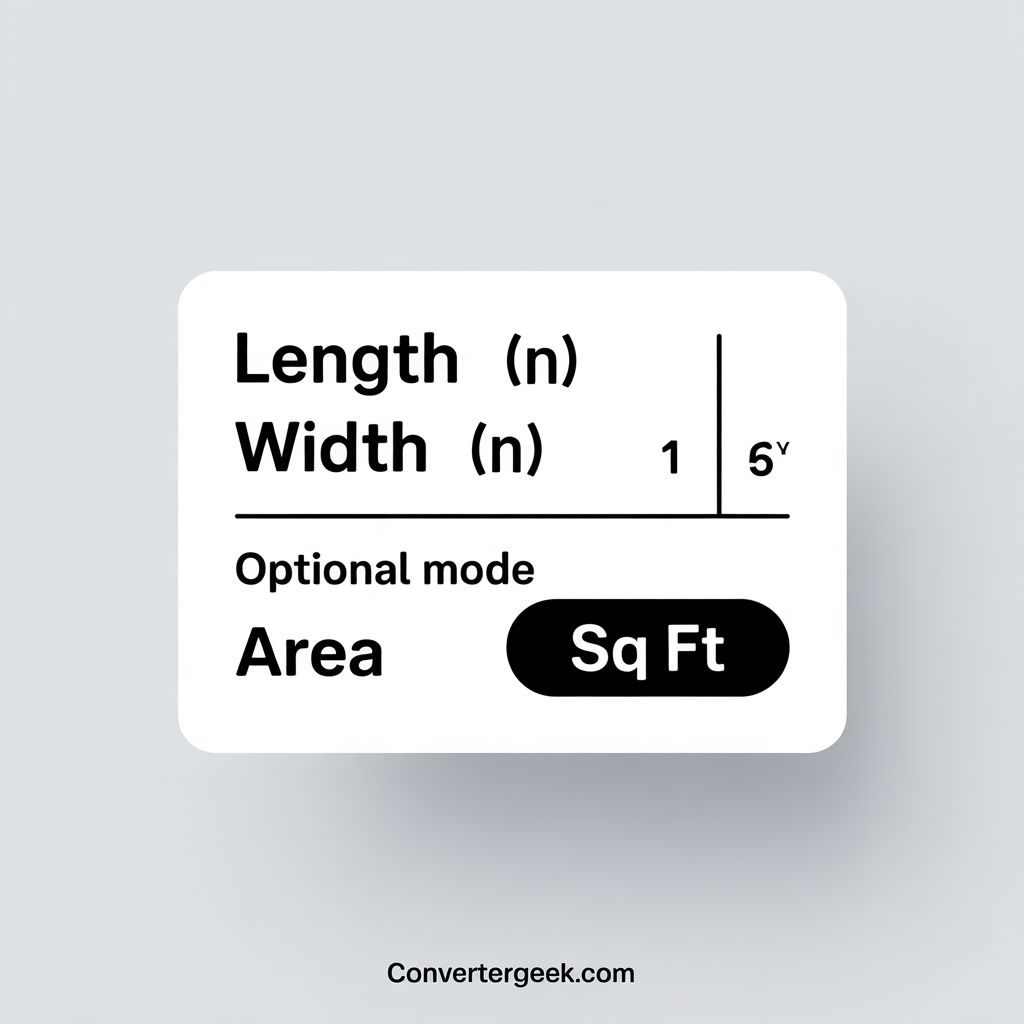
You only need two inputs to get a reliable square footage result: Length (in) and Width (in).
This section clarifies exactly what each field means so your inch to square feet calculator result matches the real surface you’re measuring.
What you enter (inputs)
- Length (in): The longer side of the surface in inches.
Use the maximum usable length you plan to cover (not the outside trim unless you’re covering trim). - Width (in): The shorter side of the surface in inches.
Measure wall-to-wall (for floors) or edge-to-edge (for panels).
Quick tip: Always measure the same surface plane. Mixing a “floor length” with a “wall width” produces the wrong area in square feet.
What you get back (outputs)
- Area (sq ft): Your final surface area in square feet (this is the main result).
This number is what you use for flooring coverage, sheets needed, or budgeting using price per square foot. - (Optional) Area (sq inch): Useful when working with small items or product specs listed in sq inch.
It also helps you verify the conversion if you’re comparing sq inch to sq ft.
How the tool interprets your fields
Direct answer: the calculator treats your inputs as a rectangle shape (or square shape).
That’s why it works best for rooms, sheets, panels, and floor sections.
If your space is irregular:
- Split it into rectangles
- Run the inches to square feet calculator for each rectangle
- Add the square feet totals
Inputs & Outputs (What You Enter, What You Get)
Enter Length (in) and Width (in). The calculator returns Area (sq ft) for fast planning and coverage checks.
| Field | Type | Unit | What it means | Example |
|---|---|---|---|---|
| Length | Input | inches (in) | The longer side of the surface you want to measure. | 120 in |
| Width | Input | inches (in) | The shorter side of the same surface plane. | 96 in |
| Area | Output | square feet (sq ft) | Total area in square feet (main result used for coverage and pricing). | 80 sq ft |
| Area (optional) | Output | sq inch | Same area shown in square inches for small items or spec sheets. | 11,520 sq in |
Length
InputWidth
InputArea
OutputArea (optional)
OutputTip: Keep both inputs in inches to avoid unit mix-ups. For sq inch to sq ft conversion, use the 144 rule (1 sq ft = 144 sq in).
4. How the Inches to Square Feet Calculator Works
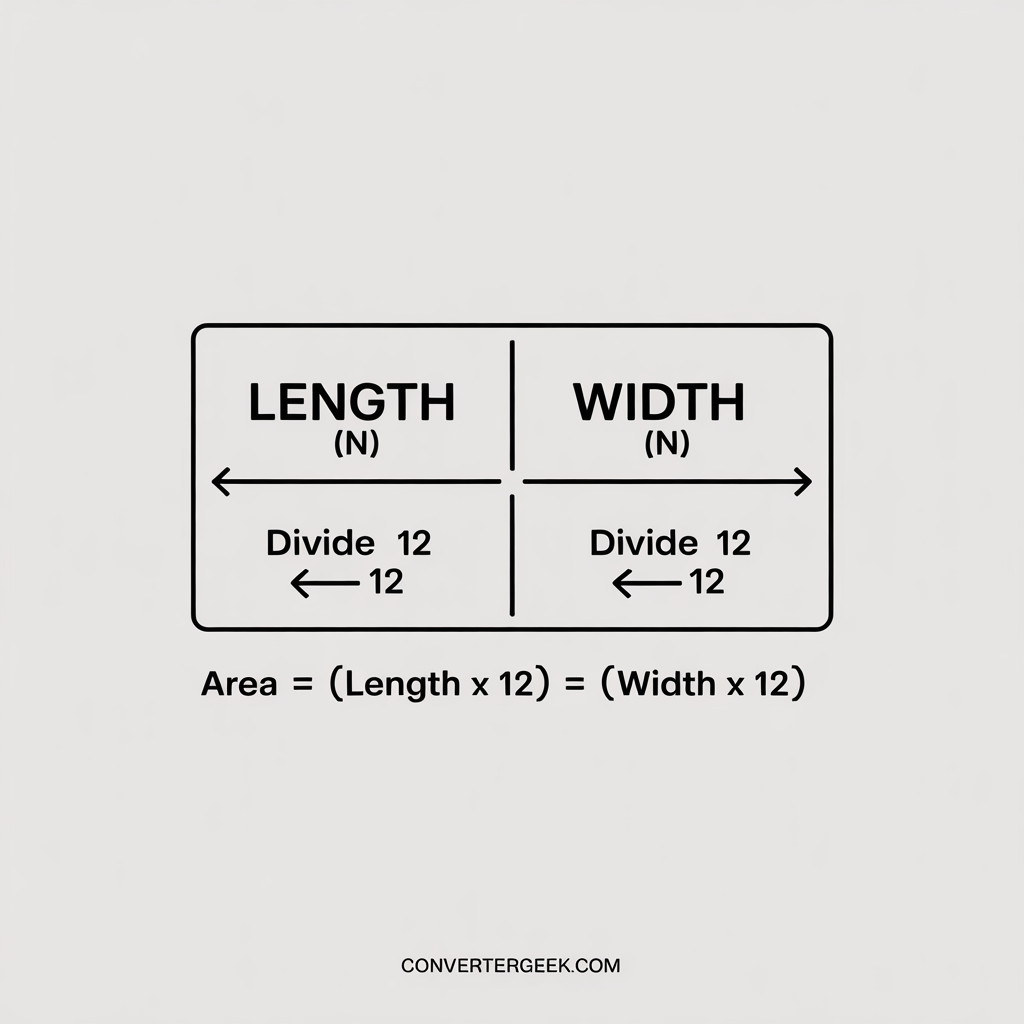
Direct answer: this inches to square feet calculator converts both sides from inches to feet, then multiplies them to return area in square feet. This prevents the most common mistake—treating area conversion like a simple one-step inches-to-feet conversion.
Step-by-step logic (what the calculator does internally)
- Takes your inputs
- Length (in)
- Width (in)
- Converts inches to feet for each side
- Length (ft) = Length (in) ÷ 12
- Width (ft) = Width (in) ÷ 12
This is the clean “width + inches to feet” step (applies to both sides).
- Calculates rectangle area in square feet
- Area (sq ft) = Length (ft) × Width (ft)
This is the standard formula for area for a rectangle shape.
- Area (sq ft) = Length (ft) × Width (ft)
- (Optional) Provides square inches for verification
- Area (sq inch) = Length (in) × Width (in)
- Then it can convert: sq inch to sq ft = sq inch ÷ 144
This is useful when product specs are in square inches or when you want a quick accuracy check.
Quick Answer Formula (snippet-friendly)
Area (sq ft) = (Length in ÷ 12) × (Width in ÷ 12)
Worked example (so you can verify results)
Direct answer: the calculator is doing this same math automatically.
Example: Length = 120 in, Width = 96 in
- Convert to feet
- 120 ÷ 12 = 10 ft
- 96 ÷ 12 = 8 ft
- Multiply for area
- 10 × 8 = 80 sq ft
So the inches to square feet calculator returns 80 square ft.
Why area uses 144 (not 12)
Direct answer: because area squares the conversion.
- 12 inches = 1 foot (length)
- 12 × 12 = 144 square inches = 1 square foot (area)
This is why converting sq inch to sq ft requires dividing by 144, not 12.
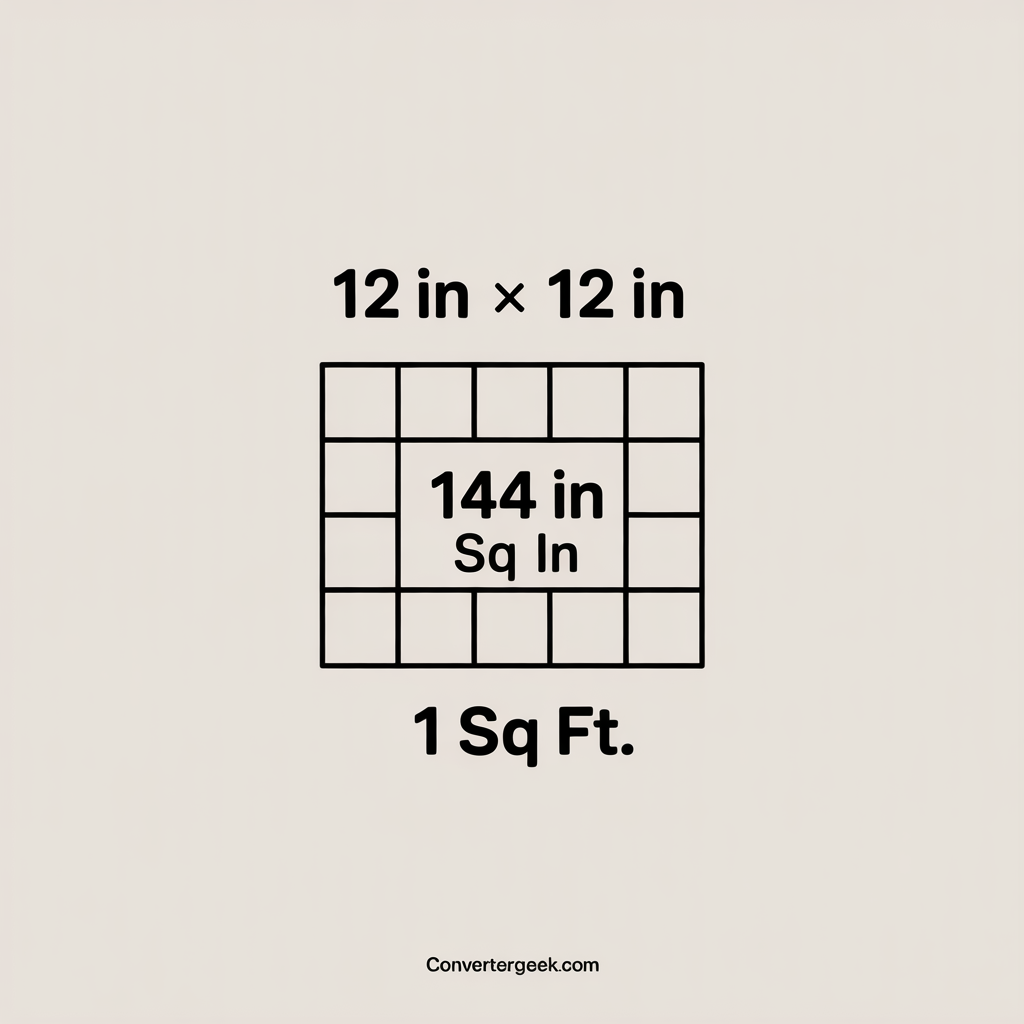
Mini Table: The 144 Rule (Quick Check)
| Value | Equals |
|---|---|
| 12 in × 12 in | 144 sq inch |
| 144 sq inch | 1 square foot |
| sq inch to sq ft | sq inch ÷ 144 |
Quick tip: Area conversions square the unit change, so you divide by 144 (not 12).
Micro Q&A (voice-friendly)
- Q: “Hey Google, what’s the fastest way to get square feet from inches?”
A: Divide each side by 12 to convert to feet, then multiply to get square feet. - Q: “Can I convert square inches directly?”
A: Yes—use sq inch ÷ 144 to convert square inch to square feet.
5. How to Use the Inches to Square Feet Calculator
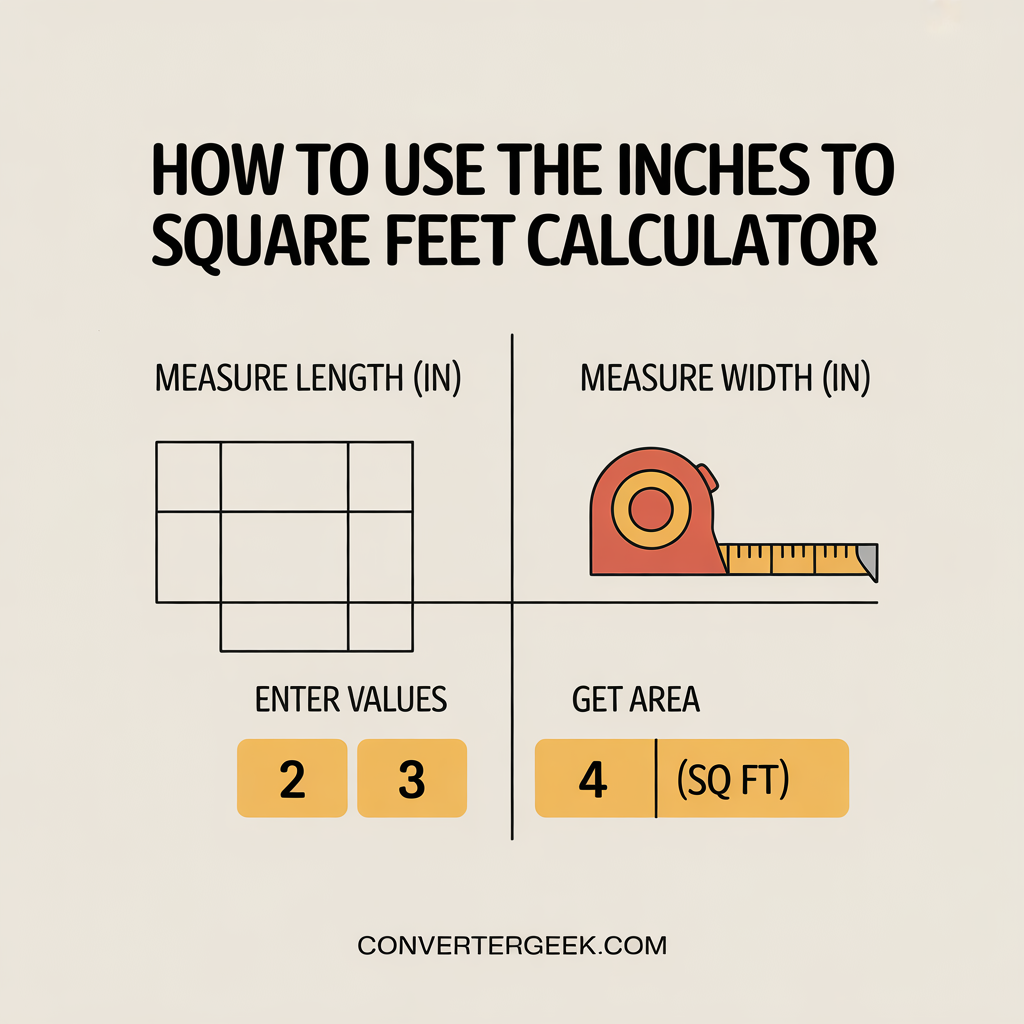
Direct answer: measure Length (in) and Width (in), enter them into the inches to square feet calculator, and use the returned area in square feet to plan coverage or estimate costs.
Step-by-step (fast and practical)
- Measure the length in inches
Use a tape measure and record the longest side of the surface you want to cover. - Measure the width in inches
Record the shorter side of the same surface plane (floor, panel, sheet, etc.). - Enter Length (in) and Width (in)
Keep both inputs in inches to avoid unit mixing. - Read your Area (sq ft)
This is your square feet from inches result and the number most quotes and coverage labels use. - (Optional) Add a small planning buffer
If you’re ordering materials, consider a modest buffer for cuts, waste, and pattern matching. - (Optional) Estimate budget using price per square foot
Multiply your square footage by your price per square foot to get an estimate.
Real-world measuring tips (so your result matches reality)
Direct answer: measure the usable surface, not the outer edges that won’t be covered.
- Floors/rooms: Measure wall-to-wall at the widest points.
- Panels/sheets: Use the size you will actually install or cut from.
- Obstacles: For large cutouts (fixed cabinets, columns), subtract those areas separately.
- Don’t round early: Keep inches accurate, then round the final square ft result if needed.
Quick “unit safety” checks
Direct answer: these checks prevent the most common conversion errors.
- If your measurements are already in feet and inches, convert each side to total inches first.
Example: 8 ft 6 in → (8 × 12) + 6 = 102 inches. - If a product lists area in sq inch, use sq inch to sq ft = sq inch ÷ 144.
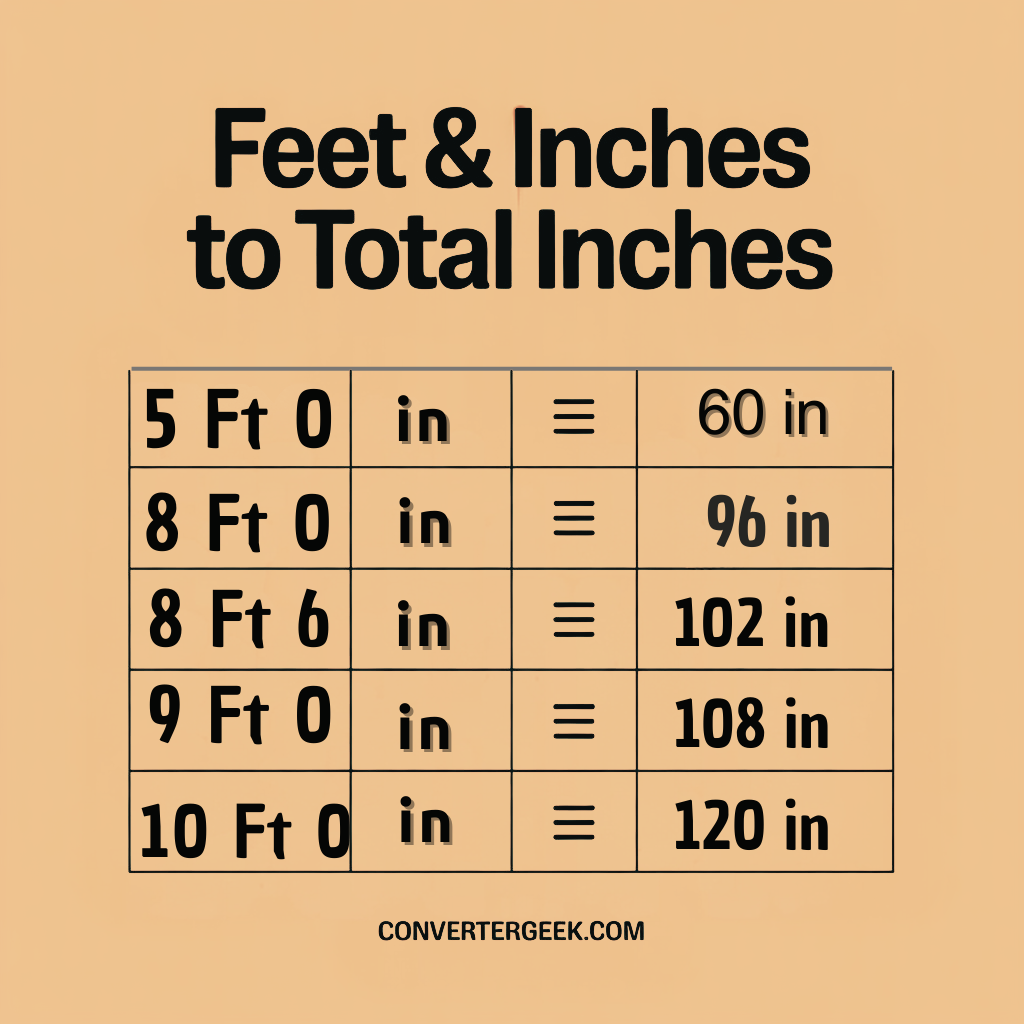
Feet & Inches to Total Inches (Quick Table)
Use this when your measurement is in feet and inches and you need total inches before using the calculator.
| Feet & Inches | Total inches |
|---|---|
| 5 ft 0 in | 60 in |
| 8 ft 6 in | 102 in |
| 10 ft 0 in | 120 in |
Formula: total inches = (feet × 12) + inches.
Micro Q&A (voice-friendly)
- Q: “Hey Google, how do I calculate square footage from inches?”
A: Enter length and width in inches, and the calculator converts to feet and multiplies to return square feet. - Q: “Do I have to convert inches to feet first?”
A: No—this inches to square feet calculator does the conversion automatically.
6. Real Situations Where This Conversion Helps
Direct answer: use the inches to square feet calculator anytime measurements are in inches but you need area in square feet for coverage, ordering, or budgeting.
1) Flooring estimates for a room (most common use)
If you measured the area of a room using a tape measure in inches, converting to square feet from inches helps you match how flooring is sold and quoted.
Use it for:
- tile flooring (boxes often cover a specific sq ft)
- hardwood flooring (sold by sq ft)
- laminate flooring (coverage-based packaging)
- engineered wood flooring (often quoted per sq ft)
Quick guidance: If the room has alcoves or extensions, split it into rectangles and total the square feet.
2) Wall panels, boards, and sheets (material coverage)
Many products list dimensions in inches (like 48×96 panels). The inches-to-sq-ft conversion makes comparisons easy.
Common examples:
- plywood and MDF sheets
- insulation boards
- acrylic or PVC panels
- wall cladding and decorative sheets
This is where “looks big in inches” becomes clear in square ft.
3) Pricing and budgeting with price per square foot
If your contractor quote or store pricing is based on price per square foot, you need the area in sq ft first.
Workflow:
- Get sq ft using the inches to square feet calculator
- Multiply by price per square foot
- Use it as an estimate for planning (not a final invoice)
This also supports quick comparisons between materials when building cost planning is based on area.
4) Small items with square-inch specifications
Some items list coverage in sq inch (stickers, small tiles, craft panels). Converting sq inch to sq ft helps you compare them to larger area totals.
Example use:
- convert small surface coverage to sq ft
- compare multiple pieces to your total room area
- avoid ordering too few units
5) Remodeling planning and cut/waste buffer
Even if your math is correct, installation can require extra material.
Use this tool to:
- calculate the base area
- then add a small buffer for cuts, pattern alignment, and waste
Micro Q&A (voice-friendly)
- Q: “Hey Google, when should I convert inches to square feet?”
A: When you’re ordering or pricing materials sold per square foot and your measurements are in inches. - Q: “Can I use this for panels and boards too?”
A: Yes—enter the panel’s inch dimensions to get square feet for coverage comparison.
7. Special Cases: Square Inches, Triangles, and Mixed Units
Direct answer: the inches to square feet calculator is best for rectangles, but you can still handle sq inch to sq ft, triangle areas, and mixed measurements by using the right conversion rule before (or after) you calculate.
1) When you already have square inches (sq inch)
If a product spec shows area in sq inch, you don’t need length and width. You can convert the area directly.
Rule:
- square feet = square inches ÷ 144
This is the correct way to convert square inch to square feet because 12 in × 12 in = 144 sq inch.
Voice-friendly micro Q&A:
- Q: “Hey Google, how do I convert sq inch to sq ft?”
A: Divide square inches by 144 to get square feet.
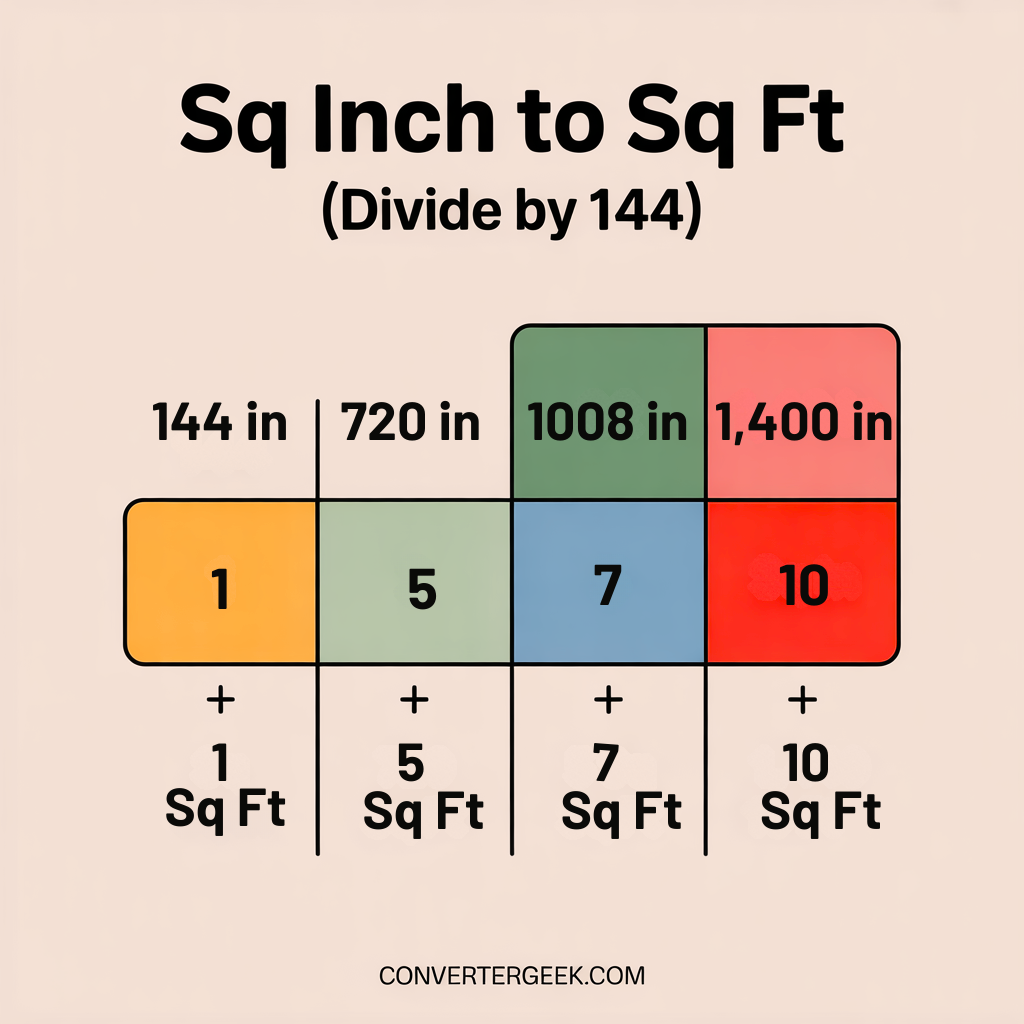
Quick examples (sq inch to sq ft):
- 144 sq inch → 1 sq ft
- 720 sq inch → 5 sq ft
- 1,440 sq inch → 10 sq ft
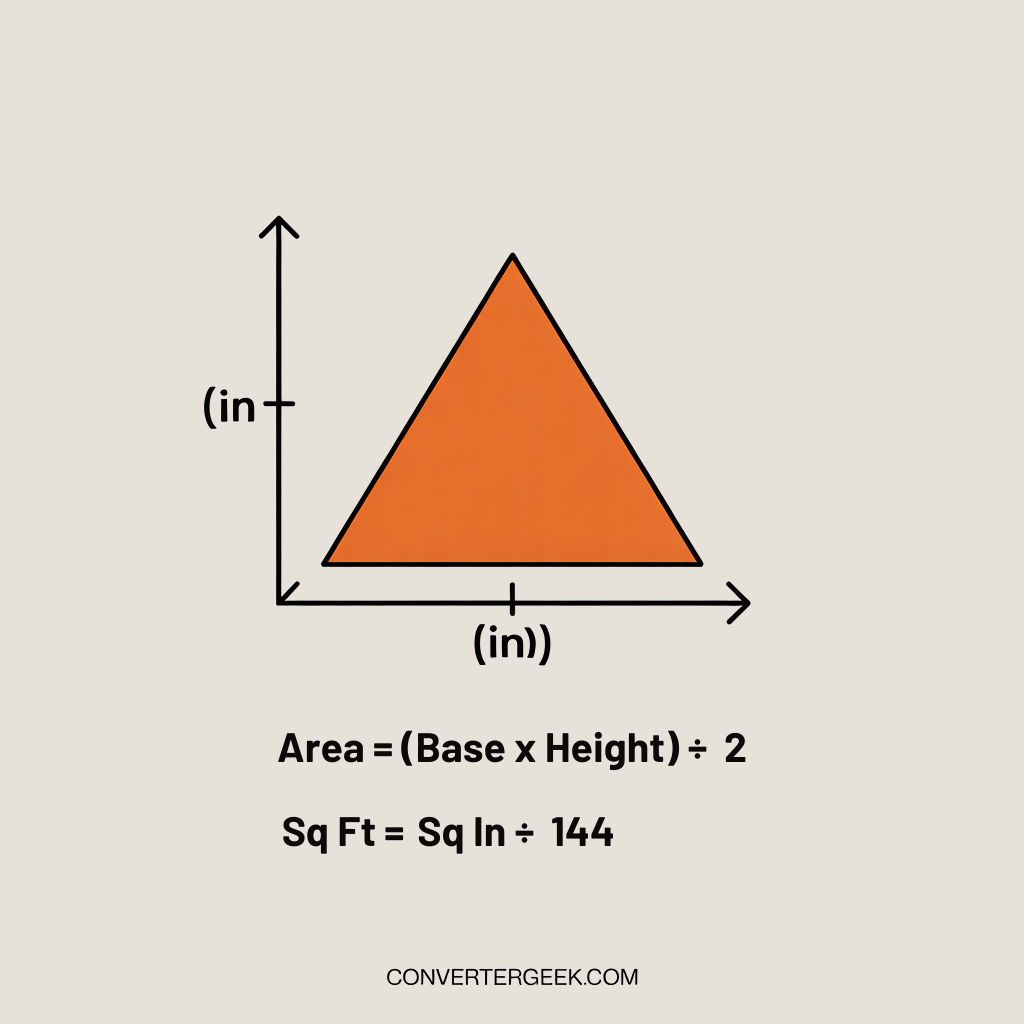
2) Triangle surfaces (area of triangle)
If the surface is a triangle (like a gable, angled cut, or corner section), the rectangle formula won’t apply directly.
Triangle formula:
- Area = (base × height) ÷ 2
If base and height are measured in inches, your area is in square inches first.
Then convert to square feet using ÷ 144.
Practical tip: For triangles measured in inches, it’s often easiest to:
- Compute sq inch area using the triangle formula
- Convert sq inch to sq ft by dividing by 144
3) Mixed units (feet and inches together)
If you measured in feet and inches, do not enter mixed units directly. Convert first.
Two safe options:
- Option A (recommended): convert to total inches
- total inches = (feet × 12) + inches
Then use the inches to square feet calculator normally.
- total inches = (feet × 12) + inches
- Option B: convert both sides to feet
- feet = inches ÷ 12
Then calculate area in sq ft.
- feet = inches ÷ 12
Common mistake: converting only one side and leaving the other in inches.
That creates a wrong area result because the units don’t match.
4) Metric mentions (square meters vs square feet)
Sometimes quotes or specs show square meters but you need square feet.
This is a separate area conversion step, and it’s best done after you’ve calculated the area in one system.
Tip: Keep your workflow consistent:
- calculate area in one unit system
- convert once at the end
This reduces rounding errors and confusion.
Micro Q&A (voice-friendly)
- Q: “Hey Google, can the inches to square feet calculator handle triangles?”
A: Not directly—use the triangle formula first, then convert square inches to square feet by dividing by 144. - Q: “What if I only have area in square inches?”
A: Divide by 144 to convert square inch to square feet.
8- Understanding Your Result and What to Do Next
Direct answer: the number you see is your area in square feet—use it to estimate coverage, compare products, and plan cost without redoing conversions.
What the square-feet result actually means
If the calculator returns 80 sq ft, it means the measured surface covers eighty square feet of area.
This is the same unit most materials and quotes use, which is why the inches to square feet calculator is practical for real projects.
How to sanity-check your result (quick confidence checks)
Direct answer: use one of these checks to confirm the number “feels right.”
- Check 1: convert to feet mentally
If your sides are near 120 inches and 96 inches, that’s about 10 ft × 8 ft → ~80 sq ft. - Check 2: compare with a known reference
A 4 ft × 8 ft sheet is 32 sq ft.
If your surface is roughly 2.5 sheets worth, 2.5 × 32 ≈ 80 sq ft. - Check 3: use the 144 rule for square inches
If you also computed sq inch area, dividing by 144 should land close to your sq ft result.
How to use this result for materials
Direct answer: convert square feet into “how much to buy.”
Common next steps:
- Box coverage (tiles, planks, panels):
- boxes needed ≈ total area ÷ coverage per box
Round up to the next whole box.
- boxes needed ≈ total area ÷ coverage per box
- Sheet goods (panels/boards):
- sheets needed ≈ total area ÷ area per sheet
Then round up because partial sheets still require a full sheet purchase.
- sheets needed ≈ total area ÷ area per sheet
- Irregular rooms:
Split into rectangles, total the square feet, then apply the same purchasing logic.
How to use this result for cost planning
Direct answer: multiply by your unit rate.
- Estimated total = area (sq ft) × price per square foot
This supports quick budgeting and comparing options, especially when you’re reviewing different finishes or installation quotes.
Results interpretation (trust + next action)
“Results generated using ConverterGeek’s verified calculation logic.”
What to do next:
- If you’re ordering materials, consider adding a small buffer for cuts and waste.
- If you’re comparing quotes, keep the same measurement method across all options.
- If the area seems off, re-check units (inches vs feet) and confirm both sides were measured on the same surface.
Micro Q&A (voice-friendly)
- Q: “Hey Google, what do I do after I get square feet from inches?”
A: Use the sq ft result to estimate material quantity (coverage per box/sheet) or multiply by price per square foot for a planning estimate. - Q: “Why does my result look bigger than expected?”
A: It often happens if one value was entered in feet instead of inches, or if you rounded before converting.
9- Helpful Tables for Fast Checking
Direct answer: these tables help you spot-check results from the inches to square feet calculator without doing full math each time. They’re useful for quick planning, verifying an estimate, and avoiding unit errors like dividing by 12 when you should use 144.
Why these tables are worth using
- They help you confirm your area in square feet “looks right.”
- They reduce mistakes when converting sq inch to sq ft.
- They speed up common tasks like flooring planning and sheet coverage checks.
Quick Checks: Inches to Square Feet
Use this table to sanity-check your calculator result. Measurements are in inches, output is area in square feet.
| Length (in) | Width (in) | Area (sq ft) | Notes |
|---|---|---|---|
| 12 | 12 | 1.00 | 1 ft × 1 ft |
| 24 | 24 | 4.00 | 2 ft × 2 ft |
| 48 | 96 | 32.00 | 4 ft × 8 ft sheet |
| 60 | 120 | 50.00 | 5 ft × 10 ft |
| 96 | 120 | 80.00 | common room section |
How to use this table:
Match your measurements to the closest row to confirm your calculator output is in the right range.
Micro Q&A:
- Q: “Hey Google, what’s 48 inches by 96 inches in square feet?”
A: It’s 32 square feet.
Table 2: The 144 rule (sq inch to sq ft conversion)
Direct answer: if you have area in square inches, this table helps you convert square inch to square feet correctly.
Square Inches to Square Feet (Quick Conversions)
Use this when your area is in sq inch. Convert to sq ft using the 144 rule (sq ft = sq inch ÷ 144).
| Area (sq inch) | Area (sq ft) | Quick note |
|---|---|---|
| 144 | 1 | 12 in × 12 in |
| 288 | 2 | double the area |
| 720 | 5 | common small coverage |
| 1,440 | 10 | handy benchmark |
| 2,880 | 20 | larger sheet total |
Quick rule reminder:
sq ft = sq inch ÷ 144
Table 3: Cost planning (price per square foot)
Direct answer: once you have square feet, estimating budget is straightforward.
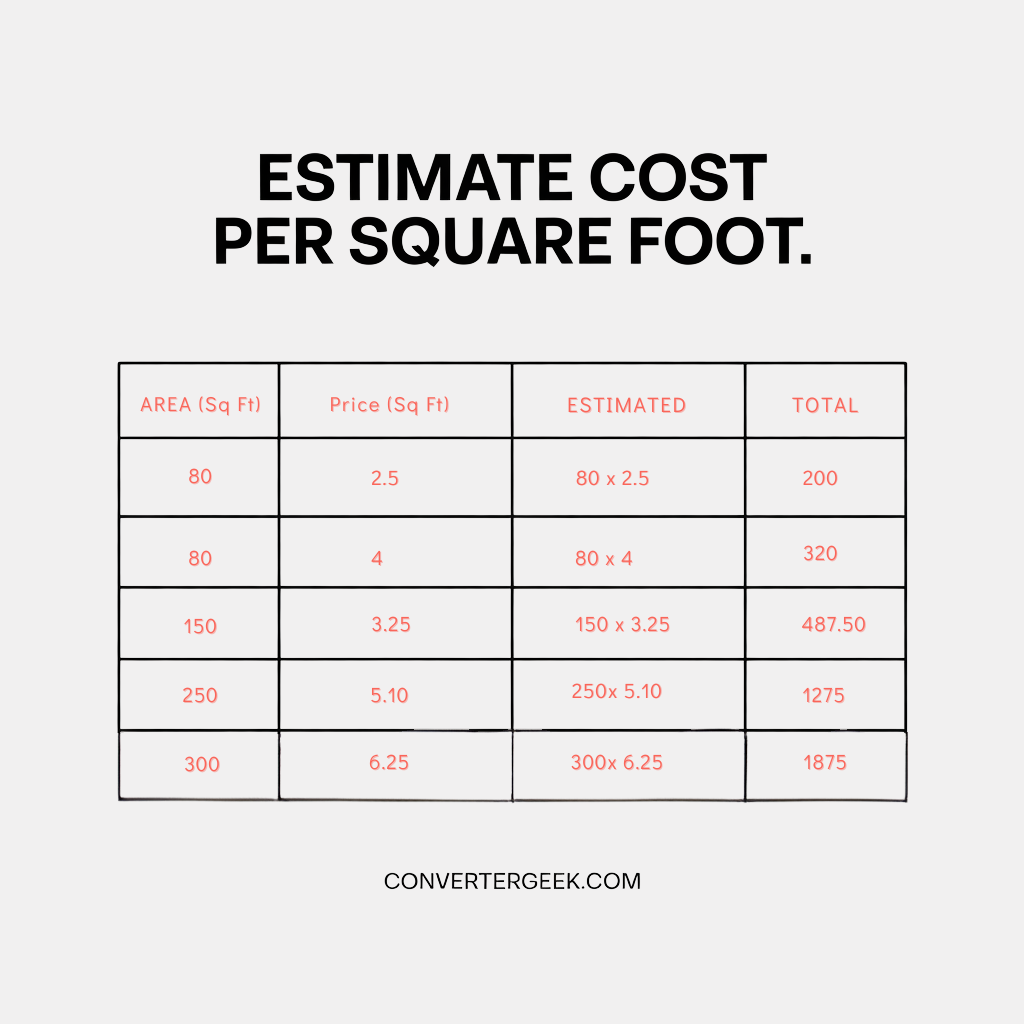
Tip: Use this for planning and comparison. Final totals can change with waste, cuts, and packaging sizes.
Micro Q&A (voice-friendly)
- Q: “Hey Google, how do I estimate total cost from square feet?”
A: Multiply area in square feet by price per square foot to get a planning estimate. - Q: “Why do my square-inch conversions seem off?”
A: Many errors come from dividing by 12 instead of 144. Area uses the 144 rule.
10. Common Mistakes and Quick Fixes
Direct answer: most errors with an inches to square feet calculator come from unit confusion (inches vs feet) or converting area incorrectly (using 12 instead of 144). Use the fixes below to correct the result in seconds.
1) Mixing inches and feet in the same calculation
If one side is entered in inches and the other is entered in feet, the output won’t match the real area in square feet.
Quick fix:
- Convert everything to inches first, or everything to feet first.
- Best practice: enter both sides in inches and let the tool handle the conversion.
Micro check: If your room is 10 ft wide, that should be 120 inches, not 10.
2) Converting area like a length (dividing by 12 instead of 144)
This is the #1 error in sq inch to sq ft conversions.
Quick fix:
- sq ft = sq inch ÷ 144
Because 12 in × 12 in = 144 sq inch = 1 sq ft.
3) Using the wrong measurements (outside trim vs usable surface)
People often measure from outer edges that won’t actually be covered, especially with flooring, panels, or mats.
Quick fix:
- Measure the usable coverage area (wall-to-wall for floors, installable panel area for sheets).
- If there are permanent obstacles, subtract them separately.
4) Rounding too early
Rounding inches before conversion can shift results enough to change purchasing decisions.
Quick fix:
- Keep your inputs exact (including fractions/decimals if you have them).
- Round only the final square feet from inches result.
5) Assuming irregular spaces are rectangles
An L-shaped room isn’t a single rectangle, so entering one length and one width may undercount or overcount.
Quick fix:
- Split the surface into 2–4 rectangles.
- Run the inches to square feet calculator for each.
- Add the square feet totals.
6) Forgetting cut/waste factor when ordering
Even with perfect math, installations often require extra due to cuts, layout patterns, and breakage.
Quick fix:
- Use your calculated area as a base estimate.
Add a small buffer depending on complexity and pattern alignment.
7) Misreading symbols and labels (sq ft vs ft² vs “SF”)
The symbol of square feet varies across labels and quotes.
Quick fix:
- Treat these as the same unit: sq ft, ft², and SF (when the context is area).
- Confirm you’re not reading “ft” (length) as “ft²” (area).
Quick Fix Table (Fast Troubleshooting)
If your result looks wrong, match your issue below and apply the fast fix.
| Problem | Likely cause | Fast fix |
|---|---|---|
| Result is way too big | One side entered in feet | Convert feet to inches (×12) |
| Result is way too small | Used 12 instead of 144 | sq inch ÷ 144 for sq ft |
| Looks “close” but off | Rounded early | Use exact inches, round at end |
| Irregular room mismatch | Forced rectangle input | Split into rectangles, add areas |
| Coverage short after purchase | No buffer | Add a small waste/cut buffer |
Micro Q&A (voice-friendly)
- Q: “Hey Google, why is my square footage wrong?”
A: The most common reasons are mixing inches with feet, or converting square inches using 12 instead of 144. - Q: “How do I fix an L-shaped room calculation?”
A: Split it into rectangles, calculate each area, then add the square feet totals.
11. When to Trust This Calculator
Direct answer: trust this inches to square feet calculator when your surface can be modeled as a rectangle shape (or a clean square shape), your measurements are consistent, and you’re using the result for planning and estimation.
What “trust” means here
This tool gives a reliable sq ft conversion based on the numbers you enter.
If the input measurements match the real surface, the output will match the real area in square feet.
Use this checklist before relying on the result
Direct answer: if you can check most of these, your result is dependable for planning.
- ✅ You measured the same surface plane (floor-to-floor, panel-to-panel).
- ✅ Both values are in inches (not mixed feet and inches).
- ✅ The surface is a rectangle shape or can be split into rectangles.
- ✅ You entered usable coverage measurements (not trim or irrelevant edges).
- ✅ You didn’t round your inches early.
- ✅ Your result passes a quick sanity check (rough feet conversion feels right).
Quick trust checks (30 seconds)
Direct answer: use these fast checks to confirm you’re in the right range.
- Check 1: Convert inches to feet in your head
120 inches ≈ 10 feet. If your sides look like ~10 ft by ~8 ft, area should be around 80 sq ft. - Check 2: Compare to a known reference surface
A 4×8 sheet is 32 sq ft. If your space is roughly 2–3 sheets worth, you’ll be around 64–96 sq ft. - Check 3: Reverse-check using square inches (optional)
If you compute sq inch area, dividing by 144 should land close to your sq ft result.
When you should be more careful
Direct answer: these cases can cause the right math to still produce the wrong real-world order quantity.
- The space is irregular and you didn’t split it into rectangles.
- There are large cutouts (stairs, islands, columns) that should be subtracted.
- Materials require layout planning (patterns, direction, seams) that increase waste.
- You’re converting from packaging labels that assume overlap or specific installation methods.
Micro Q&A (voice-friendly)
- Q: “Hey Google, when should I trust a square footage estimate?”
A: When your inputs are consistent, the surface is rectangular (or split into rectangles), and the result matches a quick sanity check. - Q: “Is this accurate enough to order materials?”
A: It’s strong for planning, but you should add a small buffer and confirm measurements before final purchasing.
12. Limitations & Disclaimer
Direct answer: this inches to square feet calculator provides a fast, practical estimate based on your inputs. It works best for rectangle and square surfaces, but real-world spaces and materials can introduce differences.
What this calculator does well
- Converts square feet from inches accurately for rectangles and squares.
- Supports quick planning for floors, panels, sheets, and coverage comparisons.
- Helps avoid unit confusion by keeping a consistent sq ft conversion workflow.
Where results can differ from real-world needs
Even when the math is correct, your final material quantity may vary due to:
- Irregular shapes: L-shaped rooms, curved edges, angled walls, or built-ins.
Fix: Split into rectangles, calculate each, then add totals. - Cutouts and obstacles: cabinets, pillars, stair openings, floor vents, permanent fixtures.
Fix: Measure and subtract these areas separately. - Installation waste and layout: cuts, pattern alignment, direction changes, seams, breakage.
Fix: Add a planning buffer, especially for patterned materials. - Product packaging assumptions: some materials list “coverage” that assumes overlap or ideal installation.
Fix: Check packaging coverage notes and compare to your layout. - Rounding differences: rounding inches early can shift totals enough to change ordering.
Fix: Keep inputs exact and round only at the end.
Required disclaimer (verbatim)
“convertergeek tools are designed for fast estimation and planning. Always confirm measurements and requirements before purchasing materials or making final decisions.”
Micro Q&A (voice-friendly)
- Q: “Is this inches to square feet calculator good for exact ordering?”
A: It’s great for planning, but confirm measurements and add a buffer for waste and layout. - Q: “Why can my estimate be correct but my order still be short?”
A: Real installations often need extra material for cuts, patterns, and breakage—even when the square footage math is accurate.
13. Ad & Content Safety Note
This inches to square feet calculator provides estimates for planning based on the measurements you enter. Results can vary in real projects due to cuts, waste, packaging coverage, and surface irregularities.
For compliance-critical work (contracts, permits, safety requirements, or purchasing commitments), use this tool as a helpful guide and confirm measurements and requirements with verified on-site measurements or qualified professionals.
Accuracy & Editorial Standards
Direct answer: this page is written to be clear, consistent, and practical so users can convert square feet from inches with fewer mistakes and faster decisions.
How we aim for accuracy
- Unit clarity first: Inputs are labeled in inches and outputs are shown in square feet to reduce mix-ups.
- Standard math: The calculator logic follows the rectangle formula for area and the correct area conversion rule (÷ 144 for sq inch to sq ft).
- Consistency: We keep field names stable (Length, Width, Area) so the steps stay easy to follow across the page.
Editorial quality checks we follow
- User-first structure: Direct answers appear early so you can act quickly.
- Readable on mobile: Short paragraphs, scannable lists, and tables that remain understandable on small screens.
- Fast loading + clean UX: Minimal clutter, clear sectioning, and content designed to support tool usage without distractions.
- AdSense-safe tone: Planning and educational language, no absolute claims, no pressure or sensational framing.
Update policy (practical, not hype)
We periodically review the page for:
- unit labeling clarity
- common user confusion points (like 12 vs 144)
- improved examples and FAQs based on how people search
14. Author Bio
Author: ConverterGeek Editorial Team
Role: Content architect & UX writer for conversion tools
Direct answer: our editorial team creates measurement and conversion pages that prioritize unit clarity, error prevention, and fast tool usage—especially for people doing planning and estimating.
What we focus on
- Writing converter instructions that reduce common mistakes (like mixing inches and feet).
- Using simple explanations for concepts like area in square feet and sq inch to sq ft.
- Building pages that work well for quick answers, voice search, and mobile scanning.
- Keeping content AdSense-safe by framing results as estimates and avoiding absolute claims.
Editorial approach
We design each tool page so users can:
- get a correct result quickly
- understand what the result means
- know what to do next (ordering, budgeting, comparing coverage)
15. FAQs
Direct answer: these FAQs cover the most common questions people ask when using an inches to square feet calculator, especially for flooring, panels, and unit conversions. Answers are kept short for voice search.
1) What is an inches to square feet calculator used for?
An inches to square feet calculator converts length and width in inches into area in square feet so you can estimate coverage for floors, rooms, sheets, and panels.
2) How do I calculate square footage from inches for a rectangle?
To calculate square footage from inches, divide each side by 12 to convert to feet, then multiply:
Area (sq ft) = (Length in ÷ 12) × (Width in ÷ 12).
3) Hey Google, how do I use an inches to square feet calculator for flooring?
Measure length and width in inches, enter them, and use the sq ft result to estimate material coverage. Add a small buffer for cuts and waste.
4) How do I convert square inch to square feet?
To convert square inch to square feet, divide by 144:
sq ft = sq inch ÷ 144.
This is the standard sq inch to sq ft rule.
5) Does the inches to square feet calculator work for irregular rooms?
It works best for rectangles. For irregular rooms, split the space into rectangles, calculate each area, then add the totals to get area in square feet.
6) What should I enter if I measured in feet and inches?
Convert each side to total inches first:
total inches = (feet × 12) + inches
Then enter those inch values into the inches to square feet calculator.
7) Hey Google, what does ft² mean on a quote?
ft² means square feet, a unit of area. It shows how much surface is being covered or billed, the same as sq ft.
8) Why is my square feet result higher than expected?
Most often, one value was entered in feet instead of inches, or you rounded too early. Re-check units and use exact inches for both sides.
16. References
- National Institute of Standards and Technology (NIST) — SI units and area units overview:
https://www.nist.gov/pml/owm/metric-si/si-units-area - NIST Handbook 44 (Appendix C) — general tables of units of measurement:
https://www.nist.gov/document/nist-hb-44-2024-appendix-c-general-tables-units-measurement - OpenStax — geometric formulas (area of rectangles/triangles):
https://openstax.org/books/prealgebra-2e/pages/c-geometric-formulas - Wikipedia — square foot unit background (ft² / sq ft notation):
https://en.wikipedia.org/wiki/Square_foot